01
Two Games In One
Get both Java Edition and Bedrock Edition. Switch between the classic, highly moddable Java version and the cross-play enabled Bedrock version from a single unified launcher.
→
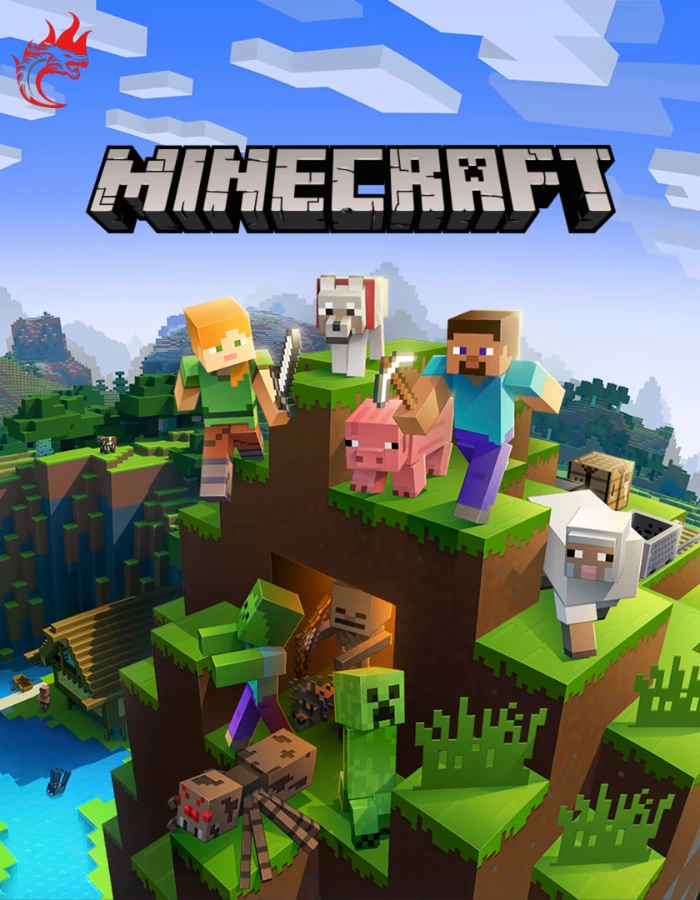
Whether you want to build massive architectural wonders in Creative Mode, survive against creepers and skeletons in Survival Mode, or test your engineering skills with complex Redstone contraptions, the only limit is your imagination.
| Activation | OnlineYou Can Play Game Online Too |
|---|---|
| Delivery | On EmailFast Delivery on your email address |
| Platform | PC |
 | Global |
|---|
Two Legendary Games. One Package. Experience the ultimate block-building adventure on PC.
For the first time ever, both Java and Bedrock editions of Minecraft are included in a single unified launcher. Play with friends across all platforms, dive into endless modding communities, and survive the night. Redeem your Global Windows Store Key instantly and start crafting.
Minecraft: Java & Bedrock Edition combines the two definitive versions of the best-selling game of all time into one seamless PC package, accessible via a unified launcher.
Whether you want to build massive architectural wonders in Creative Mode, survive against creepers and skeletons in Survival Mode, or test your engineering skills with complex Redstone contraptions, the only limit is your imagination.
This product provides a Windows Store Global Key. You can redeem this code on your Microsoft account from any country, granting you permanent, unrestricted access to both versions of the game on your Windows 10 or Windows 11 PC.
From exploring procedurally generated infinite worlds to battling the Ender Dragon, Minecraft offers an unparalleled sandbox experience.
Get both Java Edition and Bedrock Edition. Switch between the classic, highly moddable Java version and the cross-play enabled Bedrock version from a single unified launcher.
Using the Bedrock Edition, connect and play with friends regardless of their device. Cross-play seamlessly supports PC, Xbox, PlayStation, Switch, and Mobile platforms.
Explore lush biomes, deep cave systems, and perilous oceans. Every world is procedurally generated, meaning no two adventures will ever be exactly the same.
Java Edition offers access to the largest modding community in gaming. Install massive modpacks, custom shaders, and play on legendary community servers like Hypixel.
Access the Minecraft Marketplace in Bedrock Edition to discover new skins, textures, and community-made worlds, created by your favorite Minecraft creators.
No VPNs required. This Global Windows Store Key can be redeemed safely and securely on your Microsoft account from anywhere in the world.
When the sun goes down, the monsters come out. Scavenge for iron and diamonds, forge powerful enchanted armor, and protect your creations from Creepers, Zombies, and Endermen.
Unsure which version to launch? You own both! Here is what makes Java and Bedrock special so you can choose the right tool for the job.
Java Edition: Modding Sandbox The classic PC experience. Best for deep modpacks (Forge/Fabric), custom shaders, and massive legacy multiplayer servers.
Bedrock Edition: Cross-Play Hub Built on a modernized engine. Best for playing with friends on consoles/mobile and accessing the curated Marketplace.
Ray Tracing (RTX) Support Bedrock Edition officially supports NVIDIA RTX, bringing stunning, real-time path-traced lighting to your worlds.
Shared Security Both editions now utilize modern Microsoft Account security, keeping your skins, capes, and account data safe.
Single Unified Launcher Switch between the two versions seamlessly with a single click from the official Minecraft Launcher.
Minecraft is better with friends. Join massive community servers featuring custom minigames like BedWars and SkyBlock, or rent a private Realm to build a persistent survival world exclusively for you and your friends.
The Overworld is just the beginning. Gather obsidian, build portals, and journey into perilous new dimensions for rare loot.
Your starting point. Full of diverse biomes, sprawling cave systems, villages, ancient ruined cities, and deep dark secrets.
A dangerous, lava-filled hellscape. Navigate treacherous fortresses, battle Piglins, and mine ancient debris to forge Netherite gear.
A barren void of floating islands. Face off against the fearsome Ender Dragon to beat the game, then explore End Cities for the elusive Elytra.
Whether you want a relaxing building experience or a punishing survival challenge, Minecraft caters to every playstyle.
From simple stone tools to complex automated machinery, your progression is tied directly to your resourcefulness.
Dig deep to find valuable ores like Iron, Gold, and Diamond. Combine them at a crafting table to create tools, armor, and building materials.
Use Redstone dust to create circuits, pistons, and logic gates. Build fully automated farms, hidden doors, and trap systems.
Build an enchanting table and use lapis lazuli to infuse your gear with magical properties, from fire resistance to increased mining speed.
Cultivate crops, breed animals for food, and use a brewing stand to concoct powerful potions that provide buffs during difficult battles.
Check the official Minecraft PC system requirements. Minecraft is highly optimized to run on a wide variety of hardware.
Official minimum requirements for Minecraft on PC.
Official recommended requirements for playing with mods or high render distances.
Important: To utilize the Bedrock Edition's Ray Tracing (RTX) features, you must have an NVIDIA RTX 20-series graphics card or newer, or an AMD Radeon RX 6000-series or newer.
Review the product information and delivery details shown on this product listing before completing your order.
This listing is for the PC version of Minecraft, granting access to both the Java Edition and the Windows 10/11 Bedrock Edition.
You will receive a 25-digit code redeemable on the official Microsoft Store / xbox.com. This key is GLOBAL and works in any region.
Complete your purchase through the encrypted and secure checkout available on Hyrockers Gaming.
Need assistance redeeming your Microsoft/Windows code? Contact Hyrockers Gaming support using the options available on the website.
We aim to make your digital gaming purchase simple, transparent and convenient.
Yes! Microsoft now bundles both versions together on PC. When you redeem this key, you will gain access to both Minecraft: Java Edition and Minecraft: Bedrock Edition through a single, unified launcher.
You will receive a 25-digit code. Open the Microsoft Store app on your Windows 10/11 PC, click your profile icon, and select "Redeem code or gift cards." Alternatively, you can redeem it on redeem.microsoft.com using your web browser.
No. This is a GLOBAL key. It can be redeemed and played from any country in the world without the need for a VPN.
To play with friends on Xbox, PlayStation, Nintendo Switch, or Mobile devices, you should launch the Bedrock Edition (labeled simply as "Minecraft for Windows").
To install complex community modpacks (via CurseForge or Fabric) or to play on classic PC-only servers like Hypixel, you should launch the Java Edition.
The Java Edition included in this bundle is fully compatible with MacOS and Linux. However, the Bedrock Edition is strictly limited to Windows 10 and Windows 11 PCs.
Two games. Infinite worlds. Endless creativity.
Back To The Top ↑Disclaimer:
This product is an KEYCODE that can be activated on Respective Launcher’s. We are not affiliated with or endorsed by any game publishers/developers. All trademarks, logos, and images are the property of their respective owners and are used only to describe the product.
No account yet?
Create an Account